How to descale a Philips coffee machine
The CALC CLEAN light is on. Here’s the full descaling cycle for Philips and Saeco bean-to-cup machines, and how the AquaClean filter means you can mostly skip it.
Last updated: September 2026
ℹ Some links are affiliate links. We earn a commission if you buy through them, at no extra cost to you. Prices update hourly from Amazon UK.
The short version
Take out the AquaClean filter, pour a full bottle of Philips CA6700 descaler into the tank, top up with water to the CALC CLEAN mark, put a large container under the spouts and start the descaling cycle from the menu. It takes about 30 minutes, including a rinse cycle. Then fit a new AquaClean filter so you rarely need to do it again.
When your Philips needs descaling
Philips and Saeco bean-to-cup machines (the 1200, 2200, 3200/3300, 4300 and 5400 series) tell you when to descale with a CALC CLEAN light or message. How often depends on your water: in hard-water areas, which is much of southern and eastern England, it can be every few weeks without a filter. Check your area on our UK water hardness guide.
AquaClean changes the picture. If you use Philips’ AquaClean filter and replace it every time the machine asks, Philips says you won’t need to descale for up to 5,000 cups. For most households that’s the easiest way to stop descaling altogether.
Step by step
Don’t use vinegar or citric-acid descalers: Philips warns they can damage the machine, and damage from the wrong descaler isn’t covered by the warranty.
Don’t forget the brew group
Descaling deals with limescale in the water circuit. Coffee oil builds up separately on the removable brew group. Rinse it under the tap every week, and use a Philips coffee oil remover tablet in the brew group clean cycle as often as your manual recommends. See our bean-to-cup cleaning routine.
What you need
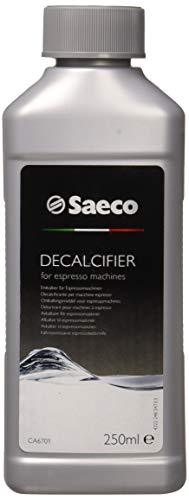
- One bottle per descale
- Philips & Saeco machines
Philips' own descaler, made for its bean-to-cup machines. One bottle does one descaling cycle.
£8.25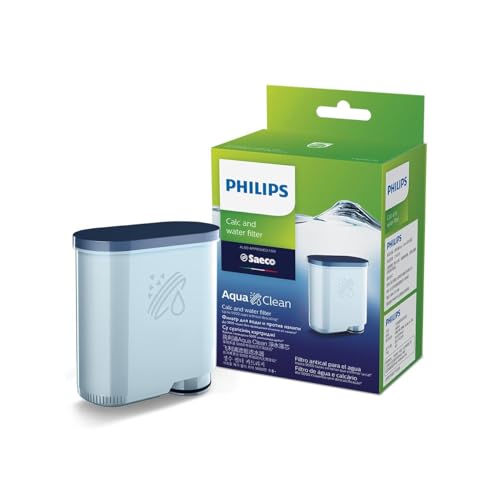
- Fits the water tank
- Machine counts filters
Philips says that if you replace the filter whenever the machine prompts, you won't need to descale for up to 5,000 cups. It also means better-tasting water in the cup.
£12.67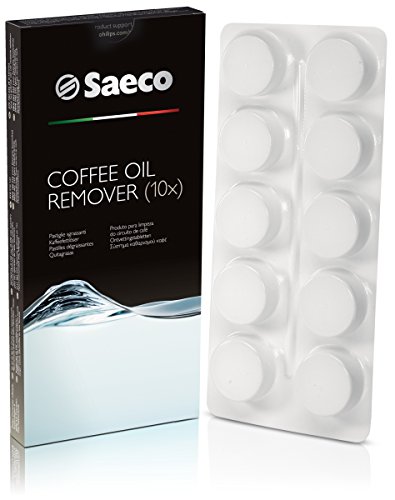
- For the brew group clean cycle
- Philips & Saeco
Tablets for the brew group cleaning cycle, which removes the coffee oils that descaling doesn't touch.
£6.39Frequently asked questions
How long does it take to descale a Philips coffee machine?
About 30 minutes, including the rinse cycle. Most of that time the machine runs on its own.
Can I descale a Philips machine with vinegar?
No. Philips warns that vinegar and other acids can damage the machine and aren't covered by the warranty. Use Philips CA6700 or a descaler the manual approves.
Do I need to descale if I use an AquaClean filter?
Philips says that if you change the AquaClean filter every time the machine asks, you won't need to descale for up to 5,000 cups.
Why is the CALC CLEAN light still on after descaling?
The cycle probably stopped before the rinse finished. Run the full descaling cycle again, including the rinse stage, or check the manual for resetting the counter.
Related guides
How to descale any coffee machine · Cleaning a bean-to-cup machine · Philips 2200 vs 3300 vs 5400 · Best descalers
How we write these: we don’t lab-test machines. Guides are based on manufacturer manuals and published specifications, and picks on specs, brand reputation and UK availability. How we choose.