How to descale a De’Longhi coffee machine
Magnifica, Magnifica Start, Dinamica and Dedica — the full EcoDecalk cycle, rinse phases, and fixing a descale light that won’t turn off.
Last updated: August 2026
What you’ll need
Prices checked 8 Oct 21:00 UTC on Amazon UK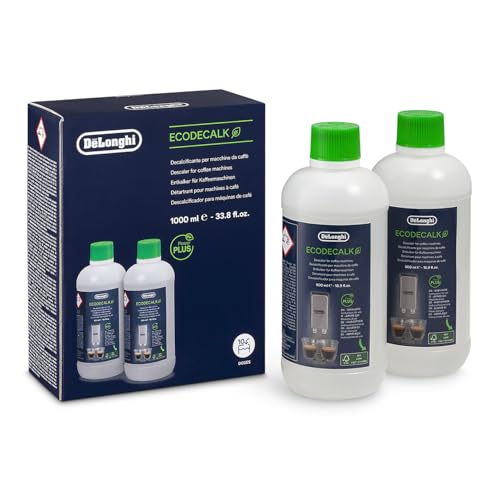
When does a De’Longhi need descaling?
Every current De’Longhi bean-to-cup — Magnifica S, Magnifica Start, Evo, Dinamica, Eletta — monitors water use and shows an orange descale light (or on-screen alert) when it’s due. In hard-water areas that’s typically every 1–2 months of daily use. Pump machines like the Dedica flash their descale light similarly. Ignore it long enough and flow drops, coffee cools, and eventually the thermoblock partially blocks.
What descaler to use
De’Longhi’s own EcoDecalk is the obvious choice — it’s a plant-based lactic acid formula, it’s what the manual specifies, and the DLSC502 twin-pack gives 10 descales, though it isn’t always cheaper per dose than the single pack. Avoid vinegar and citric-acid home brews — they’re slower, can leave residue in the milk carafe circuits, and De’Longhi’s warranty guidance specifies an appropriate descaler.
Out of stock on Amazon UK right now. In stock instead: the same De'Longhi EcoDecalk in the 10-dose pack – £18How to descale a De’Longhi bean-to-cup — step by step
- Remove the water filter from the tank if fitted, empty the tank, and pour in EcoDecalk to the A mark, then water to the B mark.
- Place a large container (1.5L+) under the coffee spouts and the hot water / steam spout — the cycle flushes both.
- Start the descale programme. On most Magnifica models you press and hold the descale (or OK) button for about 5 seconds until the light confirms; screen models have it in the menu under maintenance. The machine then runs the solution through automatically in bursts — expect 20–25 minutes.
- When prompted, rinse the tank thoroughly and refill to MAX with fresh water. The machine runs an automatic rinse cycle.
- Some models prompt a second rinse fill — do it. Empty the container, refit the water filter, and you’re done. The descale light resets automatically once the full cycle completes.
Dedica and other pump espresso machines: there’s no automatic programme — fill the tank with solution, run roughly a cup at a time through the group head and steam wand alternately with the machine on, let it sit 5 minutes between bursts, then flush two full tanks of fresh water through the same way.
Descale light won’t turn off?
The light only resets when the machine registers a complete cycle — including the rinse phases. If it’s still on, the cycle was likely interrupted: run the full programme again with plain water and let it finish. Persistent lights after a completed cycle usually mean the tank wasn’t refilled to MAX when prompted, so the rinse phase never registered.
More De’Longhi help: descale light won’t go off · cleaning the brew group · water filters.
Frequently asked questions
How often should I descale a De'Longhi Magnifica?
Trust the descale light — it tracks actual water throughput. In hard-water areas with daily use that’s typically every 4–8 weeks. You can descale sooner if flow slows or coffee comes out cooler than usual; there’s no harm in descaling early.
Can I use any descaler in a De'Longhi machine?
EcoDecalk is what De’Longhi specifies and is the safe default. Quality third-party lactic-acid descalers also work. Avoid vinegar and strong citric solutions — slower acting, can leave taste, and not what the warranty guidance expects.
Why is my De'Longhi descale light still on after descaling?
The cycle didn’t register as complete — usually because the rinse phase was skipped or the tank wasn’t refilled to MAX when prompted. Run the full programme again (plain water is fine) and let every phase finish; the light resets automatically.
Do I descale with the water filter in?
No — remove the filter first. It blocks proper circulation of the solution and the descaler damages the filter media. Refit it after the final rinse.
Related guides
- Best coffee machine descalers UK — the descalers we actually recommend
- How to descale a coffee machine — the full guide for every brand
- Best coffee machines UK · De’Longhi vs Sage · Nespresso vs bean-to-cup
ℹ Some links are affiliate links. We earn a commission if you buy through them, at no extra cost to you.